
PageNote: Collect Website Feedback Exactly Where It Happens
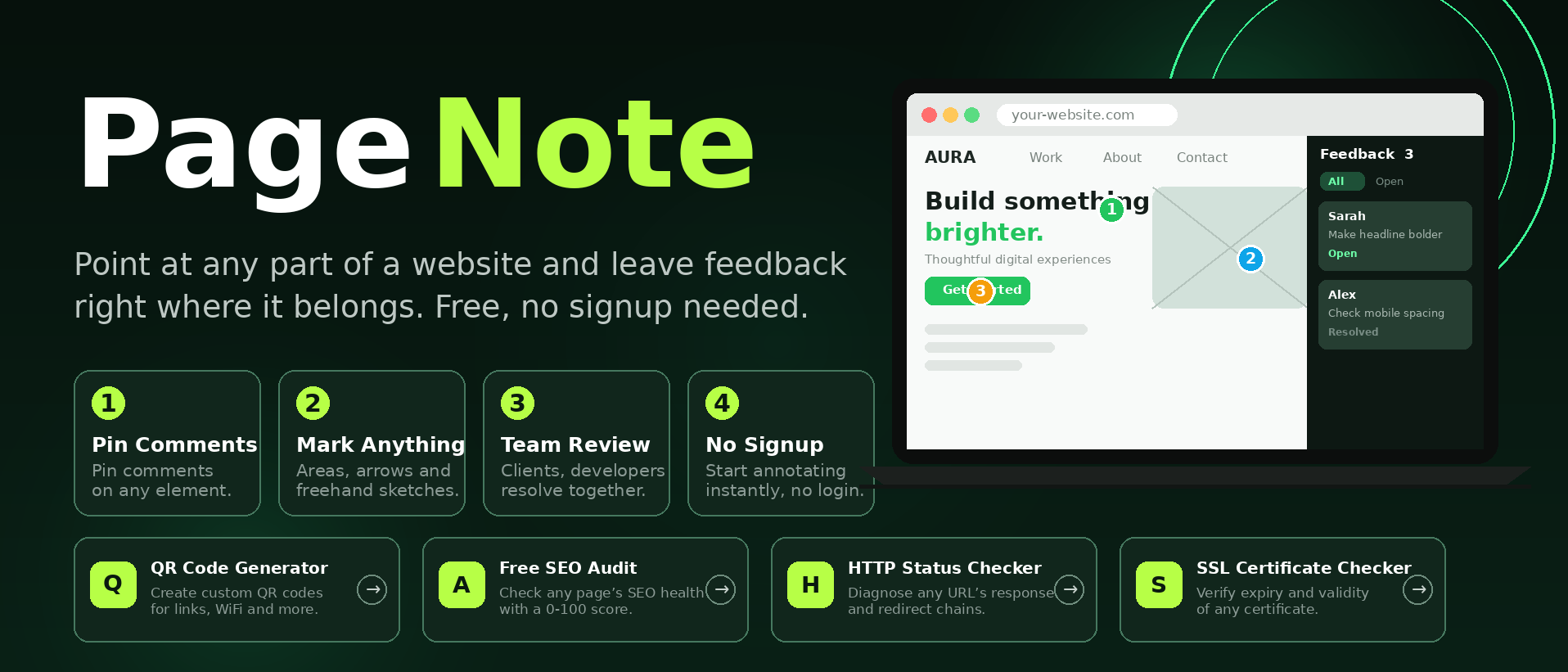
PageNote: Collect Website Feedback Exactly Where It Happens
PageNote is a free visual website feedback tool that lets anyone point at any part of a website and leave a comment right there. No signup, no login, no installs. Open a page, drop a pin where something needs attention, write what you want changed, and your developer or designer sees exactly what you mean.
The problem with website feedback today
Anyone who has built a website for a client knows this pain. Feedback arrives as a long email that says "the image near the top looks off" (which image? which page?). Or a screenshot pasted into WhatsApp with a circle drawn around something blurry. Or a call where the client tries to describe a section they cannot name.
Every round of vague feedback costs time. The developer guesses, fixes the wrong thing, and the cycle repeats. Studies on project communication consistently show that unclear feedback is one of the top reasons web projects run late.
PageNote removes the guessing. Feedback lives on the page itself, pinned to the exact element it refers to.
How PageNote works
Using PageNote takes less than a minute to understand:
Open any websiteOpen it in the PageNote workspace.
Drop a pinOn the exact spot: a headline, a button, an image, a spacing issue.
Write your noteIn plain words, e.g. Make this headline bolder.
Resolve togetherYour team clicks through every pin in a side panel and marks each resolved.
What you can do with PageNote
The full range of visual feedback types that real web projects need:
Pins
Numbered markers on any element with a comment attached.
Areas and boxes
Highlight a whole section for layout or spacing issues.
Arrows
Point from your comment to the exact element.
Freehand
Sketch directly on the page to show what you mean.
Text notes
Add written context, links, or references next to any annotation.
Resolve tracking
Mark feedback open or resolved so nothing slips through.
PageNote
Visual website feedback with pins and notes, right on the page.
Who PageNote is for
Freelancers and agencies: send clients a PageNote link instead of asking for feedback over email. You get structured, located feedback instead of vague messages.
In-house developers: see the pin, read the note, fix it. No more translating vague descriptions into CSS changes.
Designers: collect stakeholder feedback visually during review rounds, before anything goes to development.
Marketing teams: review landing pages together and approve changes faster.
QA testers: report visual bugs with their exact location attached.
Why PageNote is free
PageNote is built by ZaxisMedia, the team behind 216+ free online tools. Useful tools should not hide behind paywalls or forced signups. PageNote is free to use, with no account required. Your feedback stays in your workspace, private by design.
Frequently Asked Questions
Try PageNote now
Open any page, drop a few pins, and see how naturally website feedback flows when it lives exactly where it belongs.