Enter domain
Enter the domain name you want to investigate (e.g. example.com).

Find out who owns any domain, registrar, dates and moreEvery registered domain leaves a paper trail: who bought it, when, through which company, and when it runs out. This lookup reads the public WHOIS directory for you, from the central directory down to the responsible registry.
Find out who owns any domain, registrar, dates and more
Enter the domain name you want to investigate (e.g. example.com).
Click "Look up WHOIS".
Review the summary (registrar, dates) and expand the full WHOIS record for details.
Every registered domain leaves a paper trail. This WHOIS lookup queries the official WHOIS servers, following referrals to the responsible registry, to show who owns a domain, when it was registered, and when it expires.
Domain investors, brand owners, and security researchers use it to check availability, investigate phishing domains, or keep an eye on expiring names.
The questions people actually ask.
Investors check expiry timing and ownership before making an offer on a domain.
Brand owners investigate lookalike domains to decide between a negotiated purchase and a dispute filing.
Researchers trace phishing domains through their registration patterns; journalists verify who stands behind a website.
Settles the simplest question: is this name taken, and if so, by whom and until when?
Summary plus the full record.
Registrar, key dates and name servers up top, with the full record available underneath.
Who owns the domain, and whether contact details are privacy-protected or publicly visible.
Registry status codes show whether a domain is locked down, in dispute, or freshly changed.
Public data, direct from the source, in seconds. No signup needed.
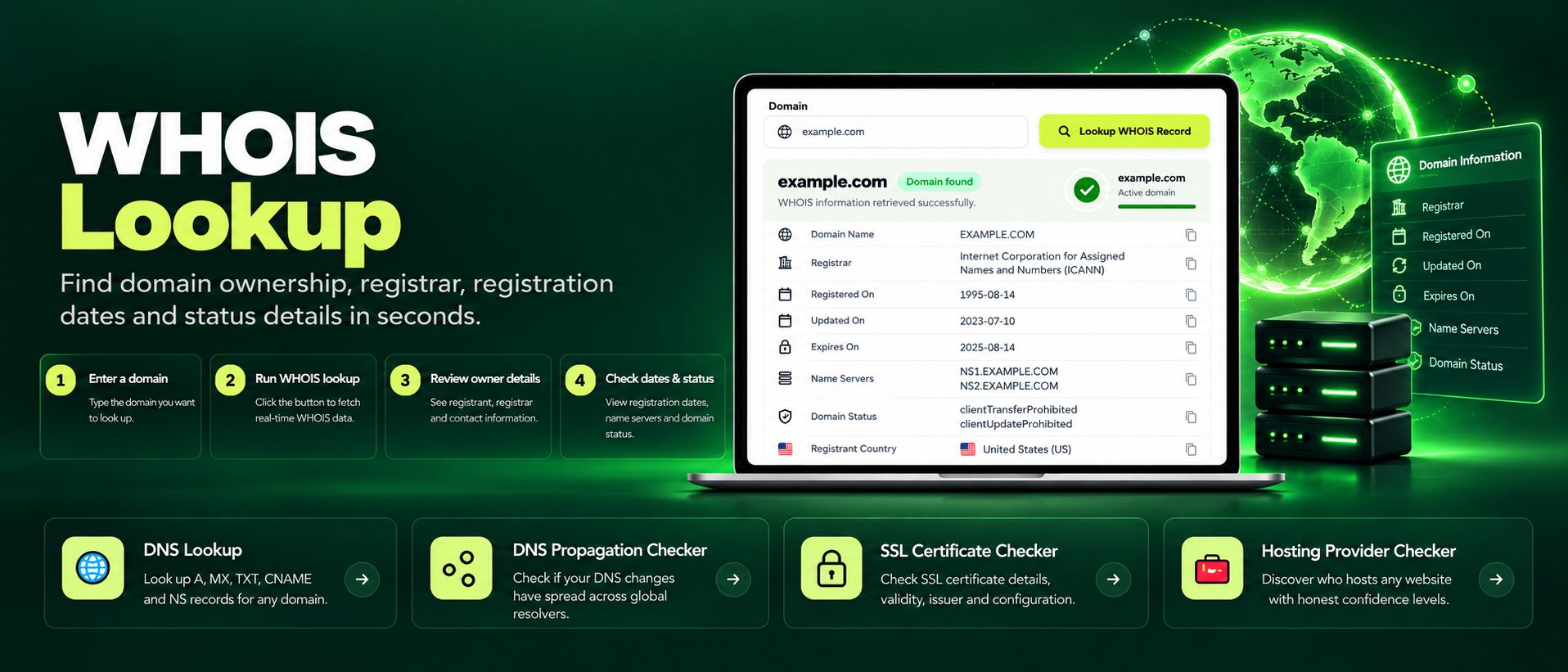
Free WHOIS lookup for any domain. Check the registrar, registration and expiry dates, name servers and the full WHOIS record instantly, no sign-up needed.
Read article →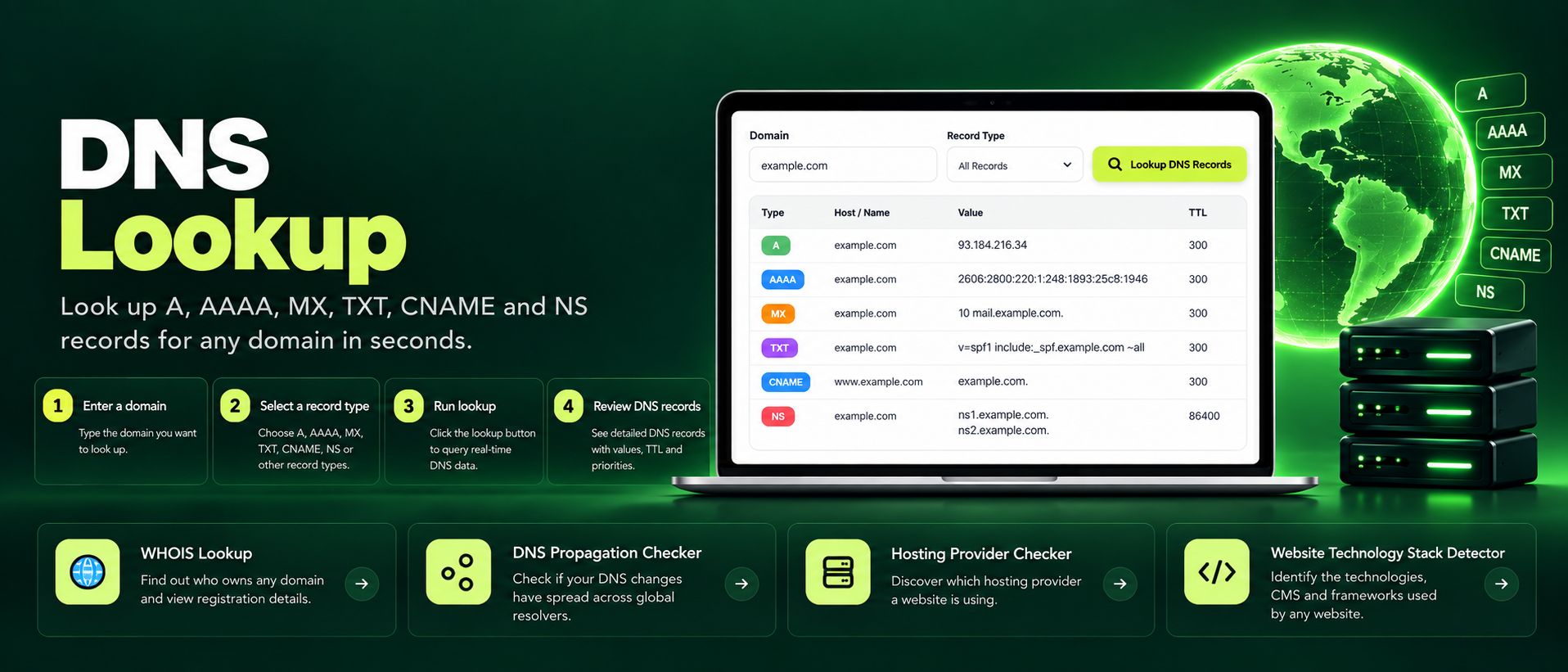
Free online DNS lookup tool. Check A, AAAA, MX, TXT, CNAME, NS and SOA records for any domain instantly. Fast, private, accurate, no sign-up required.
Read article →