DNS Lookup: Free Online DNS Record Checker for Any Domain
Free online DNS lookup tool. Check A, AAAA, MX, TXT, CNAME, NS and SOA records for any domain instantly. Fast, private, accurate, no sign-up required.
Introduction
Every time you type a website address into your browser, an invisible system translates that friendly name into an IP address, routes your email to the right server, and verifies that you own your domain. That system is the Domain Name System, the phonebook of the internet, and its entries are called DNS records. A DNS lookup is simply the act of reading those entries for any domain, and it is one of the most useful diagnostic skills a website owner can have.
Why would you ever need to look up DNS records? The list is long: you are troubleshooting why your website is down, verifying that your email authentication records (SPF, DKIM and DMARC) are published correctly, confirming a migration actually updated the right records, researching how a competitor configured their infrastructure, or checking whether a suspicious domain is what it claims to be. In all of these cases, the command line tool dig works, but it is intimidating if you are not a systems engineer.
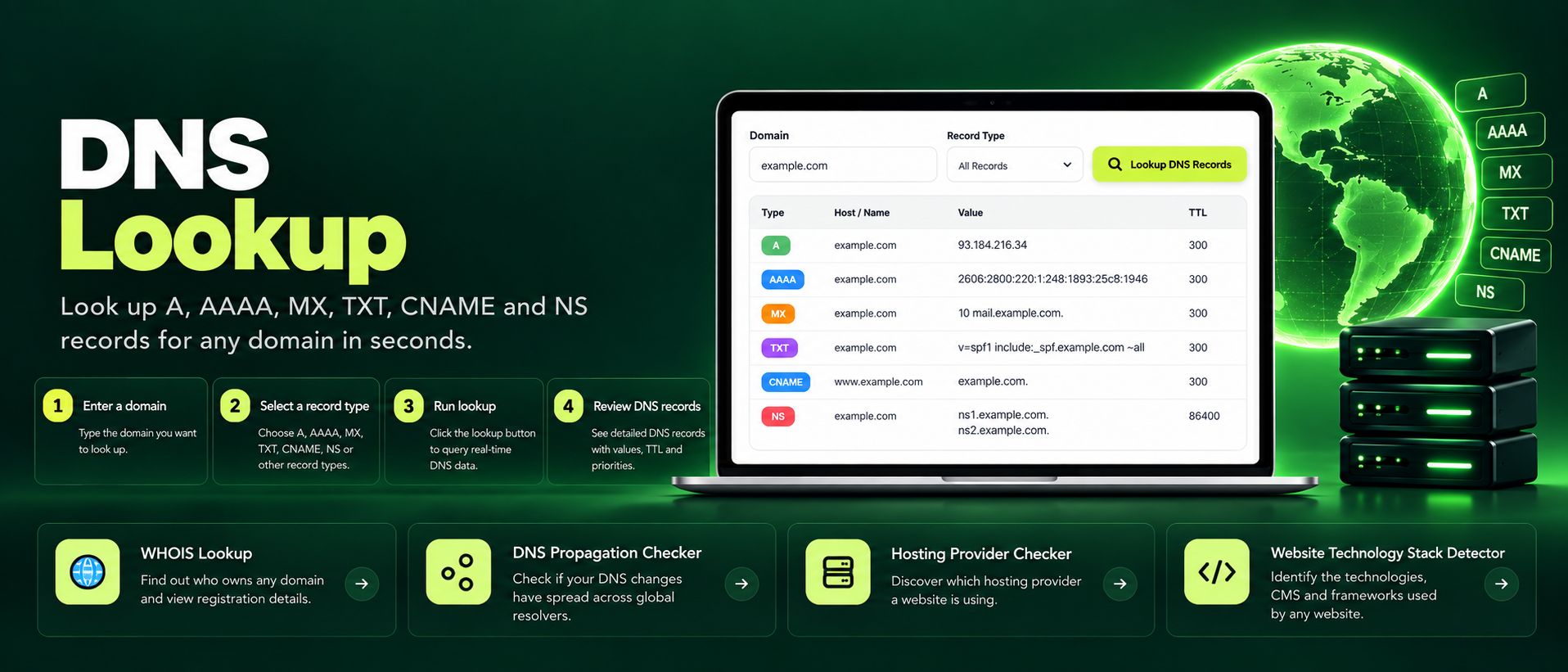
The DNS Lookup tool by ZaxisMedia brings that power to your browser. Enter any domain, choose to see all record types at once or focus on a single type like MX or TXT, and get live results in seconds. It queries real DNS data, it is completely free, and it never asks you to sign up or install anything.
Why this matters
Explain the benefits to the reader.
Silent misconfigurations
DNS misconfigurations are silent killers. A wrong A record sends visitors to a dead server, a missing MX record silently eats your email, and a forgotten TXT record keeps your domain verification stuck for days. None of these problems show an obvious error on your own screen, which is why they persist for so long. A DNS lookup makes the invisible visible: you see exactly what the rest of the internet sees for your domain.
Understand any domain
It is equally valuable for understanding others. Before buying a domain, a quick lookup reveals its name servers and mail setup. When investigating a phishing email, the sending domain's records often expose the fraud. For SEO professionals and developers, knowing how a site is configured, which CDN it uses, where its mail flows, turns vague assumptions into concrete facts you can act on.
Helpful details
Every important record type. Look up A, AAAA, CNAME, MX, NS, TXT, SOA and SRV records, covering website hosting, IPv6, email routing, name servers, verification records and service discovery in one place.
All records or one type. Get the full picture with an "all records" view, or zero in on a single record type when you are debugging a specific problem like email delivery.
Live, real DNS data. Queries run against real DNS resolvers at the moment you click, so you always see the current published state of a domain, never a stale copy.
No command line needed. Everything that dig or nslookup can show you, presented in a clean readable table that anyone can understand, no terminal required.
Email setup verification. MX and TXT lookups make it easy to confirm SPF, DKIM and DMARC records are published correctly, the number one fix for emails landing in spam.
Completely free and private. No sign-up, no usage limits, no data stored. Your queries are yours alone.
Instant results. Type a domain, click once, and read the answer. The whole process takes seconds, which matters when a client is on the phone asking why their site is down.
A freelance designer finishes a client website and the client complains that contact form emails never arrive. The designer checks the form code, tests it, and everything looks fine on the server. The emails are being sent, but they vanish somewhere between the server and the inbox. Instead of guessing, she opens the DNS Lookup tool and enters the client's domain, selecting MX records. The result is revealing: there are no MX records at all. The domain can receive web traffic but has no mail servers assigned, so every email bounces into the void.
One more lookup of TXT records shows no SPF record either, which means even the emails that do go out look suspicious to spam filters. The fix takes five minutes: she adds the MX records from the client's Google Workspace setup and publishes the recommended SPF TXT record. A final DNS lookup confirms both are live. The client tests the form, the email arrives instantly, and a problem that could have taken days of back and forth is solved with two lookups and one settings change. This is the everyday power of being able to read DNS.
Step-by-step guide
Enter the domain.Type the domain or hostname you want to inspect, for example example.com, into the input field. Subdomains work too, so you can check mail.example.com or shop.example.com directly.
Choose your record types.Select "All records" for the complete picture, or pick a single record type such as MX when you are troubleshooting email, or TXT when verifying domain ownership records.
Click "Look up DNS".The tool queries live DNS data and returns the results almost instantly.
Read the results by type.Each record type gets its own section. A records show the IP addresses a domain points to, MX records show the mail servers in priority order, NS records show the authoritative name servers, and TXT records show verification strings and email policies.
Compare against expectations.This is where the real work happens: does the A record point to your new server IP? Are the MX records pointing at your email provider? Is the SPF record present in TXT? Match the output against what you configured.
Dig deeper when needed.If something looks wrong, use the result as your starting point: a missing MX record explains bounced email, an unexpected A record explains a site showing the wrong content, and unfamiliar NS records may mean the domain is not managed where you thought.