Claude Duet: What Anthropic's Always-On AI Agent Does and How to Join the Waitlist
Introduction
Every chatbot so far has worked the same way: you open it, you ask something, it answers, and the conversation ends there. On 21 October 2026, Anthropic launched something that flips that order around. Claude Duet is a proactive AI agent that comes to you first. It reads your connected email and calendar each morning, sends you a brief of what actually needs your attention, keeps checking your apps through the day, and keeps working on tasks in the background while you do something else.
The direct answer, before the detail: Claude Duet is a research preview, available only on a waitlist to Claude Pro and Max subscribers in the United States. There is no extra charge for it, but its background work counts toward your existing Claude usage limits. It runs on Claude Opus 5.5, works from its own cloud computer, and is built for professionals and small business owners who juggle too many projects at once. It will not send a message, make a payment, sign a document or delete a file without asking you first. This article explains what Duet does, how to join the waitlist step by step, how it compares with OpenAI Dots and Meta Muse, and the honest limits you should know before you connect your inbox to it.
Key Takeaways
- Anthropic announced Claude Duet on 21 October 2026 as a research preview, a proactive agent that works in the background instead of waiting for your next prompt.
- Duet is powered by Claude Opus 5.5 and runs on its own cloud computer, so it keeps working after you close the app.
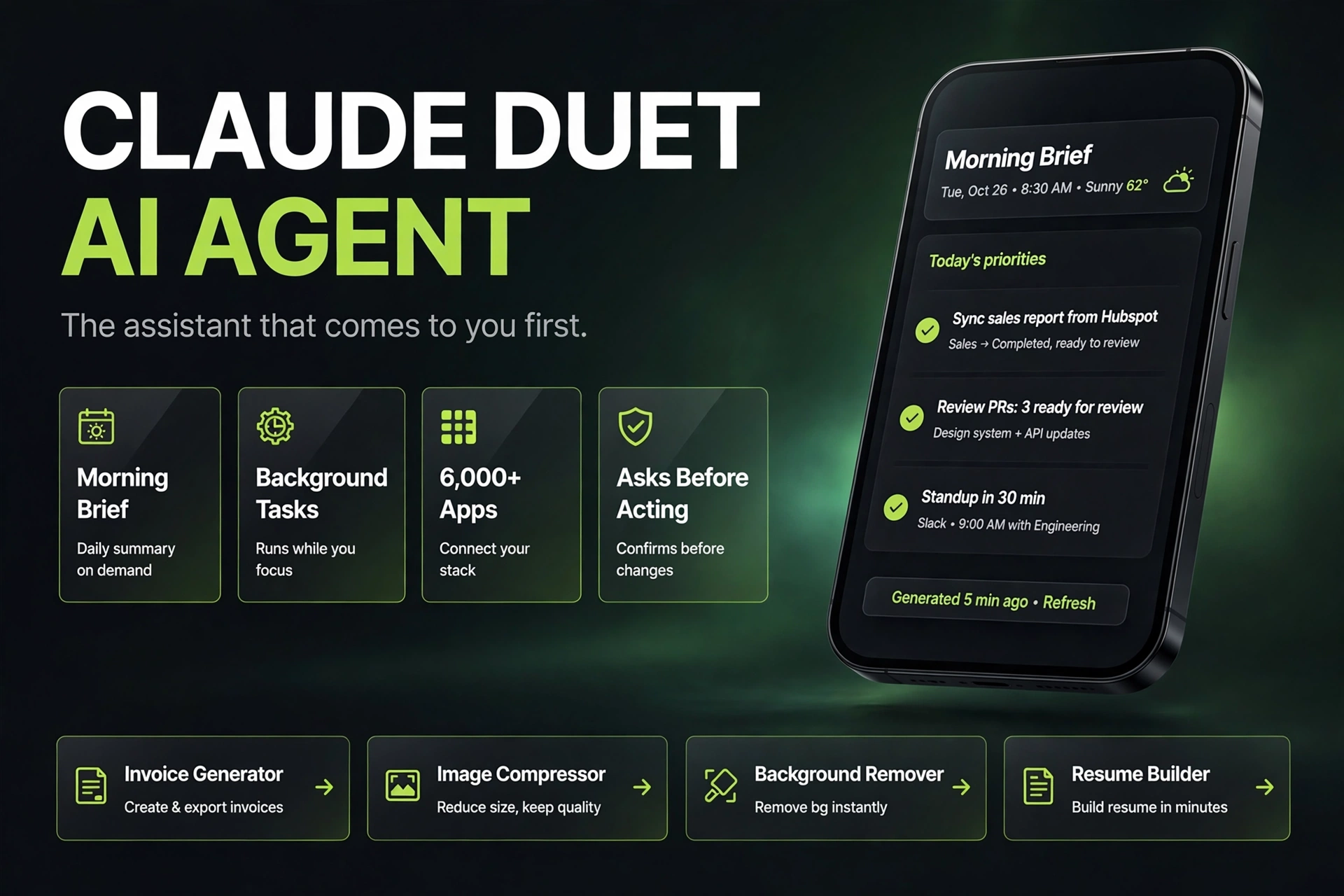
- Each morning it sends a brief built from your connected apps, then checks those apps every few hours and alerts you only when a decision is needed.
- It carries over your memory, skills and connectors from your Claude account, with access to more than 6,000 apps and plugins.
- Access is waitlist only for Claude Pro and Max subscribers in the United States. Team and Enterprise plans are not included yet.
- There is no separate price for Duet, but its background checks count toward your plan limits, so heavy use can eat your allowance faster.
- Duet asks for approval before sending messages, making payments, signing documents or deleting files. Trading securities and moving funds between accounts are blocked entirely.
- Duet never sees your passwords or login tokens. Approvals, logins and safety checks happen inside its own cloud computer.
What Claude Duet Actually Does
The simplest way to understand Duet is to compare it with regular Claude. Regular Claude waits. You open a chat, you type a question, you get an answer, and nothing happens until you come back. Duet works the other way around. You talk to it in one ongoing thread, by text or voice, and it comes to you when something needs a human.
The day starts with a morning brief. Duet reviews the apps you connected, email and calendar first, and pulls out the items that may need attention: a permit fee waiting on approval, a contract redlined to new payment terms, a batch of delivery orders that went wrong. It can draft the next steps for each one, for example a reply email or a refund note, and hand them to you for approval. Through the day it checks those apps again every few hours and sends an alert when something changes or a task finishes.
The second half of Duet is task work. You can hand it a job in a single message and it carries it out in the background: schedule meetings, prepare a research brief, build a financial model or a sales forecast, put together a slide deck or a dashboard, prototype a web app. Anthropic's own examples lean heavily toward small business operations rather than personal errands. Duet can check Stripe for unpaid invoices and draft payment reminders, and it can work with Link and Shop Pay to make purchases, but only after you approve them. That business focus is deliberate. Anthropic says it built Duet for professionals and small business owners with too much to track, the people most likely to feel the benefit of an agent that watches their work for them.
Under the hood, Duet runs inside its own virtual machine with its own browser. That is why it keeps working when your phone is off and no chat window is open. It also inherits everything from your existing Claude account, so there is little setup: your memory, your skills and your connected apps are already there, and it can search past conversations instead of making you repeat yourself.
For bloggers and small business owners, this is where the story gets practical. A lot of the daily grind that eats a small business owner's morning, chasing unpaid invoices, triaging an inbox, turning a messy thread into a short brief, is exactly the work Duet is designed to absorb. If Duet drafts an invoice reminder for you, a tool like the ZaxisMedia Free Invoice Generator can still help you create the invoice itself in minutes, with no signup and a clean PDF download. Duet watches the work; the invoice tool does the document. The two jobs fit together, and neither replaces the other.
How to Join the Waitlist, Step by Step
Duet is not something you can download and start using today unless you are invited. Access opens in waves, and Anthropic has promised no date to anyone. Here is the process, taken from Anthropic's own support guidance and launch coverage.
Step 1: Check that you qualify. You need a Claude Pro or Max subscription on an account based in the United States. Free accounts, Team plans and Enterprise plans are not eligible for this preview, and accounts outside the US are not admitted yet.
Step 2: Open the Claude Duet product page and choose Join the waitlist. The form asks for your name and email, your Claude plan, and your phone type, iPhone or Android. It may also ask what you do and what job you would hand off first.
Step 3: Use the email on your Claude account. This is the step that trips people up. Access is tied to the email address you gave on the waitlist, and it must match your Claude account and the Apple or Google account on your phone. A mismatch is one of the reasons Anthropic names for invitations that never arrive.
Step 4: Wait for the invitation email. Invitations go out in waves, with no date promised. If you are on the list and still have no access, Anthropic names four likely reasons: the waves have not reached you yet, your Claude account is outside the US, you are on a Team or Enterprise plan, or the waitlist email does not match your accounts.
Step 5: Open the invitation on your phone. When your wave arrives, open the invite on your phone, complete the iOS or Android setup, and sign in with the matching Claude account. On a computer, Duet opens on the web at claude.ai.
Step 6: Review your connectors before you hand it real work. Duet inherits the apps you connected in Claude. Remove anything you do not want it to watch, then start with one small task, a single brief or a single dashboard, and check the result before you hand over recurring work.
One bonus for new admits is worth knowing. When you are admitted to the research preview, you get one full limit reset, which resets both your five hour session limit and your weekly limit. That reset is available until 30 November 2026.
What Duet Cannot Do Yet, and the Privacy Tradeoff
Duet is a research preview, and Anthropic is unusually open about that. The company says Duet may misread a thread, misjudge how urgent something is, or miss something that arrives between check-ins. That honesty matters, because an agent with standing access to your inbox is only as good as its judgment about what deserves your attention.
The safety model is the part worth reading closely. Duet asks before it takes any consequential action: sending a message, making a payment, signing a document, deleting a file. Some actions are blocked outright. Even if you explicitly tell Duet to transfer money between accounts or buy shares, its safety classifier stops the command. Securities trading and fund transfers are prohibited entirely, no matter what you type.
On privacy, Anthropic says Duet does not directly access passwords or sign in tokens. Logins, approvals and safety checks run inside Duet's own cloud computer, and a dedicated classifier and safety system prompt check each message to guard against leaks of highly sensitive data such as credit card numbers and government IDs. That architecture is a genuine improvement over handing an agent your credentials in plain text, but it is also a claim no lab has proven at scale yet: that an agent holding standing access to your inbox, calendar and payments asks at the right moments, and not at all the others.
There are practical limits too. Duet's background work counts toward your existing plan limits, and Anthropic warns you may reach those limits sooner than with chat alone. Larger tasks like a financial model or a deck need more model turns and background work, so a heavy week with Duet can leave less room for regular Claude chats. Business plans with stronger contracts are not available for Duet yet, which means small businesses using it today are doing so under consumer plan terms, not enterprise ones. And if you are outside the US, or on a Team or Enterprise plan, Duet is a 'watch this space' story for now, not a tool you can use.
The smart way to treat Duet today is as a supervised assistant, not an autopilot. Let it draft, summarize and monitor. Review every draft before you approve it. Connect only the apps you need. And keep the record that matters in your own hands: if Duet's output is a meeting summary or a follow up, save it somewhere you control before you act on it.
Comparison Table
| Feature | Claude Duet (Anthropic) | ChatGPT Dots (OpenAI) | Meta Muse (Meta) |
|---|---|---|---|
| Launched | 21 October 2026, research preview | 29 September 2026 | 8 September 2026 |
| Model | Claude Opus 5.5 | GPT-6 Astra | Muse models |
| Core idea | Proactive chief of staff for work: morning brief, monitor, do, ask | Persistent goals and longer running work across ChatGPT | Personal agent for everyday tasks and errands |
| Where you talk to it | Standalone iOS and Android app, and web at claude.ai | ChatGPT, Slack and Teams | Meta apps, web and WhatsApp |
| Own cloud computer | Yes, with its own browser | Yes, with its own browser | Yes, Muse Secure VM |
| Connectors | More than 6,000 connectors and plugins | More than 4,000 apps through plugins | Meta apps plus business connectors |
| Approval model | Asks before send, pay, sign or delete; fund transfers blocked | Built in rules plus custom rules for allow, approve or block | Asks before sending email or buying; Sentinel agent gates the internet |
| Price to get it | Claude Pro or Max, no extra cost | ChatGPT Pro or Business Premium | Free tier in launch markets, paid plans above it |
| Availability | US only, waitlist, Pro and Max only | Eligible Pro and Business Premium, phased rollout | US led rollout, free and paid tiers |
| Best for | Professionals and small businesses running on email and calendar | People who already live in ChatGPT, Slack or Teams | Everyday errands inside apps you already use |
Tips & Tricks
- Start with the morning brief and nothing else for the first week. If Duet's brief saves you twenty minutes a morning, it has earned its place. If it flags the wrong things, tune what it watches before you hand it bigger jobs.
- Tell Duet what you want to hear about and how often. A brief at morning and mid afternoon only beats a stream of alerts all day, and it keeps your usage limits in better shape.
- Hand off one task at a time in the beginning. 'Triage my inbox and draft replies' is a good first job. A ten step business process is not, until you have seen Duet handle the small version well.
- Review every draft before you approve it. Duet is a research preview, and Anthropic itself says it can misread a thread or misjudge urgency. The approval step is the safety net, so do not tap through it on autopilot.
- Connect only the apps Duet needs. Every connector is another inbox it can misread. Remove apps you no longer use, and keep anything holding other people's sensitive data disconnected until business plans arrive.
- Watch your usage limits in the first two weeks. Background checks count toward your plan limits, so check how much of your weekly allowance Duet uses before you schedule daily recurring work.
- Use the limit reset wisely. Admitted users get one full limit reset until 30 November 2026. Save it for a week when you actually need heavy Duet work, not the first day you get in.
- If you run a small business, pair Duet with tools that do the documents. Duet can draft an invoice reminder from Stripe, and a free invoice generator can create the invoice itself. An agent that watches work and a tool that produces documents cover more ground together than either one alone.
FAQ
Conclusion
Claude Duet is the third big answer, in six weeks, to the same question: what happens when the chatbot stops waiting and starts working? Meta answered with Muse on 8 September, OpenAI with Dots on 29 September, and Anthropic with Duet on 21 October. Of the three, Duet is the most clearly aimed at people who run a business or a busy professional life, and the most careful about asking before it acts. That combination, a morning brief you can trust, approval gates on anything consequential, and connectors into the apps small businesses actually use, is why it is worth watching even if you cannot use it yet.
If you are a US based Claude Pro or Max subscriber, joining the waitlist costs nothing and takes two minutes. If you are anywhere else, or on a Team or Enterprise plan, the honest position is patience: Duet is a research preview with real limits, and the version that reaches the rest of the world will be shaped by what this preview gets right and wrong. Either way, the shift itself is real. The age of the chatbot that waits is ending, and the age of the agent that comes to you has begun. The winners will not be the agents that do the most on their own, but the ones that know exactly when to ask.