GPT-6.1 Terra: OpenAI's Cheaper Computer-Use Model, Price, and How to Use It
Introduction
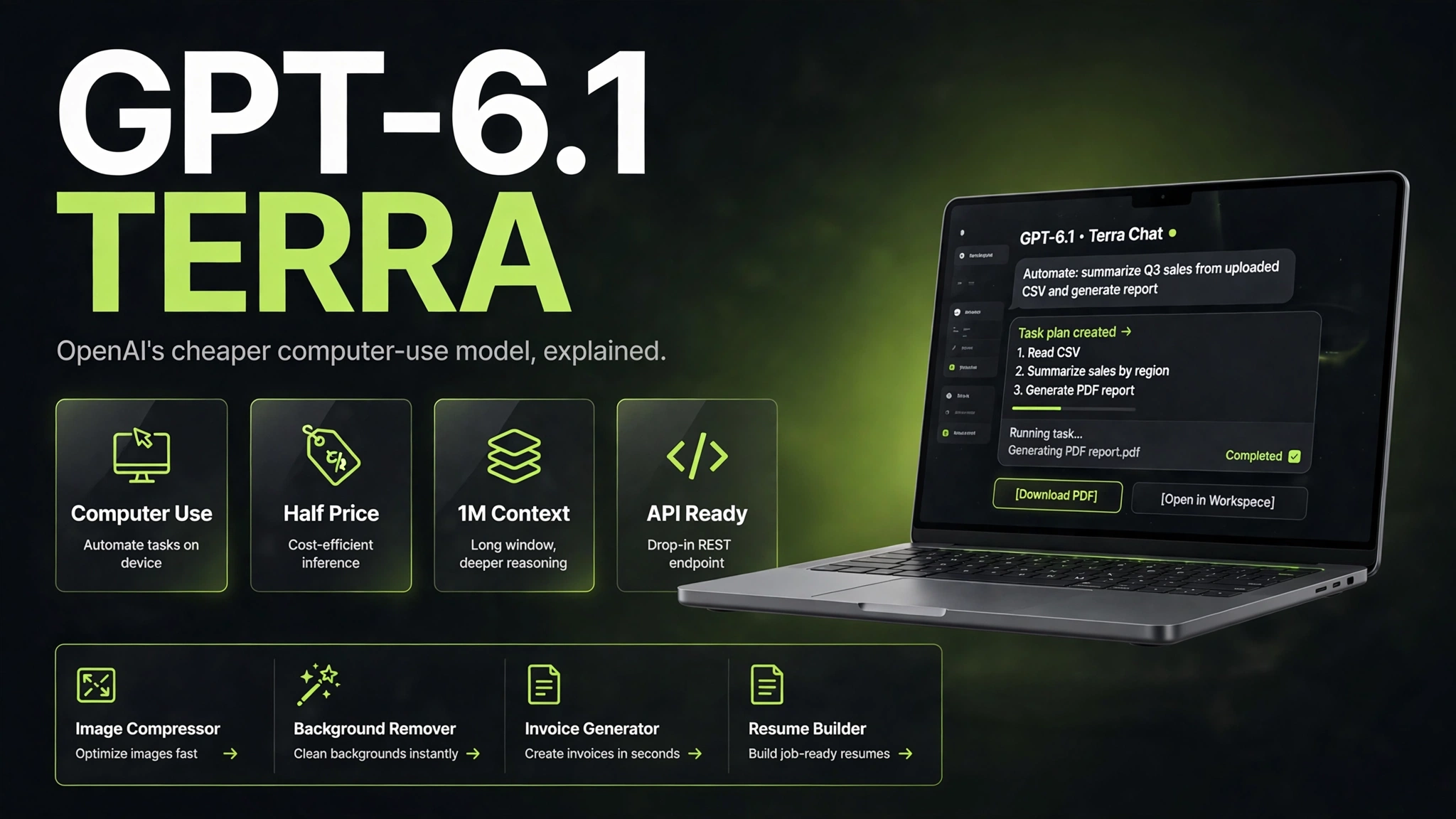
On 26 October 2026, OpenAI released a new model called GPT-6.1 Terra, and the headline is not raw intelligence. It is price. Terra is OpenAI's mid-tier model for everyday computer work: reading what is on a screen, clicking through apps, filling in forms, drafting proposals, and turning messy documents into finished work. It costs $1 per million input tokens and $5 per million output tokens through the API, which OpenAI says is 50 percent lower than the model it replaces, GPT-5.6 Terra, and lower than the bigger GPT-6.1 Sol.
The direct answer, before the detail: GPT-6.1 Terra is live now in ChatGPT Work and Codex for Plus, Pro, Enterprise, and Edu users, and in the OpenAI API as gpt-6.1-terra. It is not in regular ChatGPT chat. Its job is high-volume, repetitive computer work where the cost of each task matters more than squeezing out the last few points of intelligence. OpenAI's own benchmarks show it beating its predecessor by 15 percentage points on a professional computer-use test at medium effort, while costing roughly a third as much per task, and matching the flagship GPT-6 Astra on the same test at a tenth of the price per token. Independent tests are not out yet, so those numbers are OpenAI's own claims, not verified results. This article explains what Terra is, what it actually costs, how it compares with the rest of OpenAI's lineup, and how to use it for real work.
Key Takeaways
OpenAI launched GPT-6.1 Terra on 26 October 2026, replacing GPT-5.6 Terra as the mid-tier model in its lineup.
OpenAI launched GPT-6.1 Terra on 26 October 2026, replacing GPT-5.6 Terra as the mid-tier model in its lineup.
Terra is built for computer use and visual reasoning: reading screens, clicking through apps, filling forms, drafting documents, and editing video.
Terra is built for computer use and visual reasoning: reading screens, clicking through apps, filling forms, drafting documents, and editing video.
API pricing is $1 per million input tokens, $0.05 per million cached input tokens, and $5 per million output tokens, about 50 percent lower than GPT-5.6 Terra and GPT-6.1 Sol.
API pricing is $1 per million input tokens, $0.05 per million cached input tokens, and $5 per million output tokens, about 50 percent lower than GPT-5.6 Terra and GPT-6.1 Sol.
It is available in ChatGPT Work and Codex for Plus, Pro, Enterprise, and Edu users, and in the API as gpt-6.1-terra. It is not in regular ChatGPT chat.
It is available in ChatGPT Work and Codex for Plus, Pro, Enterprise, and Edu users, and in the API as gpt-6.1-terra. It is not in regular ChatGPT chat.
The context window is about 1,050,000 tokens with a maximum output of 128,000 tokens, and it accepts text and image input.
The context window is about 1,050,000 tokens with a maximum output of 128,000 tokens, and it accepts text and image input.
On OpenAI's Agents' Last Exam benchmark, Terra scored 15 percentage points higher than GPT-5.6 Terra at medium effort at roughly a third of the cost per task.
On OpenAI's Agents' Last Exam benchmark, Terra scored 15 percentage points higher than GPT-5.6 Terra at medium effort at roughly a third of the cost per task.
At maximum effort, Terra scored 60.0 percent on the same benchmark against 63.2 percent for Claude Opus 5.5, but at $1.01 per task against $8.82.
At maximum effort, Terra scored 60.0 percent on the same benchmark against 63.2 percent for Claude Opus 5.5, but at $1.01 per task against $8.82.
OpenAI's own error tests show the factual error rate falling from 53.6 percent to 16.7 percent at low effort, and to 4.3 percent at maximum effort. These are OpenAI's numbers, and independent testing is still to come.
OpenAI's own error tests show the factual error rate falling from 53.6 percent to 16.7 percent at low effort, and to 4.3 percent at maximum effort. These are OpenAI's numbers, and independent testing is still to come.
Main Topic Part 1: What GPT-6.1 Terra Actually Is
OpenAI's lineup now runs, from cheapest to most capable, Luna, Terra, Sol, and Astra. Terra sits in the middle. OpenAI describes it as "a fast, efficient model that combines detailed visual reasoning and precise computer use alongside clearer, more natural writing." Put simply, it is the model OpenAI wants you to reach for when an AI agent has to do repetitive work on a computer and the bill matters.
The examples OpenAI gives are deliberately unglamorous, and that is the point. Logging incoming invoices into accounting software. Filling in forms. Drafting proposals. Reading technical drawings. Editing video. This is not a model pitched at research breakthroughs. It is pitched at the work that eats an afternoon, the same kind of work that small business owners and bloggers do every day: turning a pile of receipts into a spreadsheet, moving data from one app to another, or drafting the tenth similar email of the week.
Under the hood, Terra is built around computer use. It understands what is on a screen, takes action across apps, and writes naturally. Through the API it supports computer use, function calling, file search, and connections to external tools through the Responses API. It also launched beyond OpenAI's own products: coverage reports it available on Amazon Bedrock and in GitHub Copilot as well, which matters for developers who already work inside those platforms.
One thing to be clear about: Terra is not the smartest model OpenAI sells. For hard reasoning, complex code, or deep research, OpenAI itself says Sol and Astra remain the better choice. Terra's pitch is different. It does the everyday work well enough, fast enough, and cheaply enough that running an agent on hundreds of small tasks finally makes financial sense.
For website owners and bloggers, this is where the story gets practical. If you prepare images for your posts, a tool like the ZaxisMedia Image Compressor can shrink them to the right size before you hand them to an AI agent, and the Background Remover can clean up a product photo in seconds, so the agent works with clean input instead of bloated files. Terra handles the repetitive computer work; the free tools handle the file prep. The two jobs fit together.
Main Topic Part 2: Price and Benchmarks: What the Numbers Really Say
Price is the whole story with Terra, so let us be exact. Standard API pricing is $1 per million input tokens, $0.05 per million cached input tokens, and $5 per million output tokens. OpenAI says that is 50 percent lower than GPT-5.6 Terra and GPT-6.1 Sol. For comparison, GPT-5.6 Terra cost $2 per million input tokens and $12 per million output tokens before this change, so the output price has actually fallen by about 58 percent.
There is one pricing detail that catches people out. Those standard rates apply to prompts of up to 272,000 input tokens. Longer prompts attract double input and cache rates and 1.5 times the output rate for the full request, and cache writes and some tools carry separate charges. If you plan to feed Terra very long documents, check the model documentation for the current thresholds before you budget a job.
The benchmark story comes from Agents' Last Exam, OpenAI's test of complex professional tasks performed through software. Examples include converting architectural drawings into a 3D model and reviewing animated footage to produce a time-coded restoration log. At medium reasoning effort, OpenAI reports Terra scoring 15 percentage points higher than GPT-5.6 Terra at roughly a third of the cost per task, and matching GPT-6 Astra while charging a tenth as much per token. OpenAI also says Terra completed the benchmark tasks more than three times faster than GPT-6 Astra and GPT-6.1 Sol.
The comparison everyone is sharing is against Anthropic's Claude Opus 5.5. At maximum effort on Agents' Last Exam, Terra scored 60.0 percent against Opus 5.5 at 63.2 percent, but the cost per task was $1.01 against $8.82. Opus scores higher. Terra costs about a ninth as much per task. That tradeoff is the entire argument for Terra: slightly less capability, dramatically lower cost.
Two more numbers from OpenAI's own testing are worth knowing. In tests using prompts designed to provoke errors, Terra's factual error rate was 16.7 percent at low reasoning effort, down from 53.6 percent for GPT-5.6 Terra, and 4.3 percent at maximum effort, an improvement of 18 percentage points. On Terminal-Bench 4.0, a command-line coding test, maximum-effort performance reached 50.3 percent, compared with the predecessor's 21.5 percent. GitHub's own early testing found Terra solving noticeably more terminal and C# coding tasks than the previous Terra, working in focused, consolidated steps on well-scoped tasks.
The honest caveat, stated plainly: every benchmark number in this section comes from OpenAI or from a launch partner. No independent evaluation had been published at the time of writing. Treat the numbers as a reason to test Terra on your own work, not as proof it will perform the same way for you.
Main Topic Part 3: How to Use GPT-6.1 Terra, and Who It Is For
If you have a paid ChatGPT plan, using Terra is straightforward. Open ChatGPT Work or Codex and pick Terra from the model list. It is available to Plus, Pro, Enterprise, and Edu users, and OpenAI's changelog also lists Business plans. It is not in regular ChatGPT chat, so if you open a normal chat and cannot find it, that is expected. You are looking in the wrong place.
Developers can call it through the API under the identifier gpt-6.1-terra. A Codex CLI user can run it with codex -m gpt-6.1-terra. If you use Amazon Bedrock or GitHub Copilot, check those platforms for Terra availability, since both were named in launch coverage.
Who should actually switch? Start with the work, not the model. Terra is the right first choice for classification, extraction, form filling, and invoice entry, for routine office and computer-use work, and for any agent workflow where you run the same task hundreds of times and the per-task cost decides whether the workflow is worth running at all. A small business that processes invoices, a blogger who drafts and formats dozens of similar posts, or a team that moves data between apps all fit this profile.
Terra is the wrong choice for the hardest work. For complex reasoning, long research runs, or code where a mistake is expensive, Sol or Astra remain the better pick, and OpenAI says so itself. It is also not a reason to skip fact-checking. A 16.7 percent error rate at low effort is a big improvement over 53.6 percent, and it still means checking any fact that matters before you publish it.
The smartest way to adopt Terra is to test it on your own tasks before you commit. Run your real job at low and medium effort first, measure the cost per finished task rather than the price per token, and keep an alternative model in the test. If a task needs more accuracy, step the effort up or route that task to a bigger model. The goal is not to use Terra for everything. It is to use Terra for the work it does well, and let the expensive models handle the rest.
Comparison Table
| Model | Best for | API price per million tokens | Agents' Last Exam (max effort) | Cost per task |
|---|---|---|---|---|
| GPT-6.1 Terra | Everyday computer work, forms, invoices, drafting | $1 input, $5 output | 60.0 percent | $1.01 |
| GPT-5.6 Terra | Previous mid-tier model, now replaced | $2 input, $12 output | Lower than GPT-6.1 Terra | Higher per task |
| GPT-6.1 Sol | Harder coding and complex work | About double Terra | Higher than Terra | Higher per task |
| GPT-6 Astra | Flagship, most capable | About ten times Terra per token | Higher than Terra | More than three times slower per task |
| Claude Opus 5.5 | Top-tier reasoning and agent work | Higher than Terra | 63.2 percent | $8.82 |
| GPT-6.1 Luna | Lowest-cost tier, simplest tasks | Lower than Terra | Not reported | Lowest per task |
Tips & Tricks
Start at low or medium effort for routine work. OpenAI's computer-use claims are based on medium effort, and the highest setting is not always better on real tasks.
Start at low or medium effort for routine work. OpenAI's computer-use claims are based on medium effort, and the highest setting is not always better on real tasks.
Measure cost per finished task, not price per token. A cheap model that needs three retries is more expensive than a pricier model that gets it right first time.
Measure cost per finished task, not price per token. A cheap model that needs three retries is more expensive than a pricier model that gets it right first time.
Prepare your files before you hand them to an agent. Compress images and clean up documents first, so Terra spends its tokens on the work, not on bloated input.
Prepare your files before you hand them to an agent. Compress images and clean up documents first, so Terra spends its tokens on the work, not on bloated input.
Build routing into your workflow so one task type can switch models without a rewrite. Route invoices and forms to Terra, and hard analysis to Sol or Astra.
Build routing into your workflow so one task type can switch models without a rewrite. Route invoices and forms to Terra, and hard analysis to Sol or Astra.
Check facts that matter. Terra hallucinates less than its predecessor, but a lower error rate is not a zero error rate, and anything you publish should be verified.
Check facts that matter. Terra hallucinates less than its predecessor, but a lower error rate is not a zero error rate, and anything you publish should be verified.
Watch the 272,000-token threshold. Very long prompts trigger higher rates for the whole request, so split long documents into smaller jobs when you can.
Watch the 272,000-token threshold. Very long prompts trigger higher rates for the whole request, so split long documents into smaller jobs when you can.
Use Terra to stretch your plan allowance. OpenAI says the same ChatGPT Work or Codex allowance covers more tasks with Terra than with Sol or Astra, so if you keep hitting limits, Terra is the setting to try first.
Use Terra to stretch your plan allowance. OpenAI says the same ChatGPT Work or Codex allowance covers more tasks with Terra than with Sol or Astra, so if you keep hitting limits, Terra is the setting to try first.
Keep an eye out for independent benchmarks. OpenAI's numbers are a starting point, and real-world tests from independent reviewers will show where Terra truly stands.
Keep an eye out for independent benchmarks. OpenAI's numbers are a starting point, and real-world tests from independent reviewers will show where Terra truly stands.
Frequently Asked Questions
Conclusion
GPT-6.1 Terra is not OpenAI's smartest model, and it does not pretend to be. It is the model for the work that fills a business day: reading screens, filling forms, moving data between apps, and drafting the documents that keep a small business running. At $1 per million input tokens and $5 per million output tokens, with OpenAI's own tests showing a 15 percentage point improvement over its predecessor at a third of the cost per task, it changes the math on running AI agents at scale.
The sensible move is a test, not a switch. Try Terra on your real, repetitive tasks, measure what each finished task costs, and keep the bigger models for the work where accuracy matters most. Independent benchmarks will arrive soon and will tell us how much of OpenAI's launch story holds up. Until then, Terra's price alone makes it the most interesting OpenAI release of the month for anyone who pays for AI by the task.