CMS Detector: Find What Powers Any Website
Free CMS detector. Detect WordPress, Shopify, Wix, Joomla, Drupal and more from code fingerprints. Perfect for competitor research and client website audits.
Introduction
Have you ever visited a website and wondered what it was built with? Maybe a competitor's store loads suspiciously fast, or a client's blog has a layout you admire, or you are evaluating platforms for your own project and want real world examples. The content management system behind a website shapes everything: its speed, its SEO capabilities, its security profile, and how much it costs to maintain. Knowing which CMS powers a site is the fastest way to understand how it works.
The problem is that websites do not advertise their technology stack. The CMS is hidden behind the rendered page, buried in HTML source code, script paths, and HTTP headers that most people never inspect. You could dig through the source manually, but that takes time and expertise, and modern sites often hide or obscure the obvious clues.
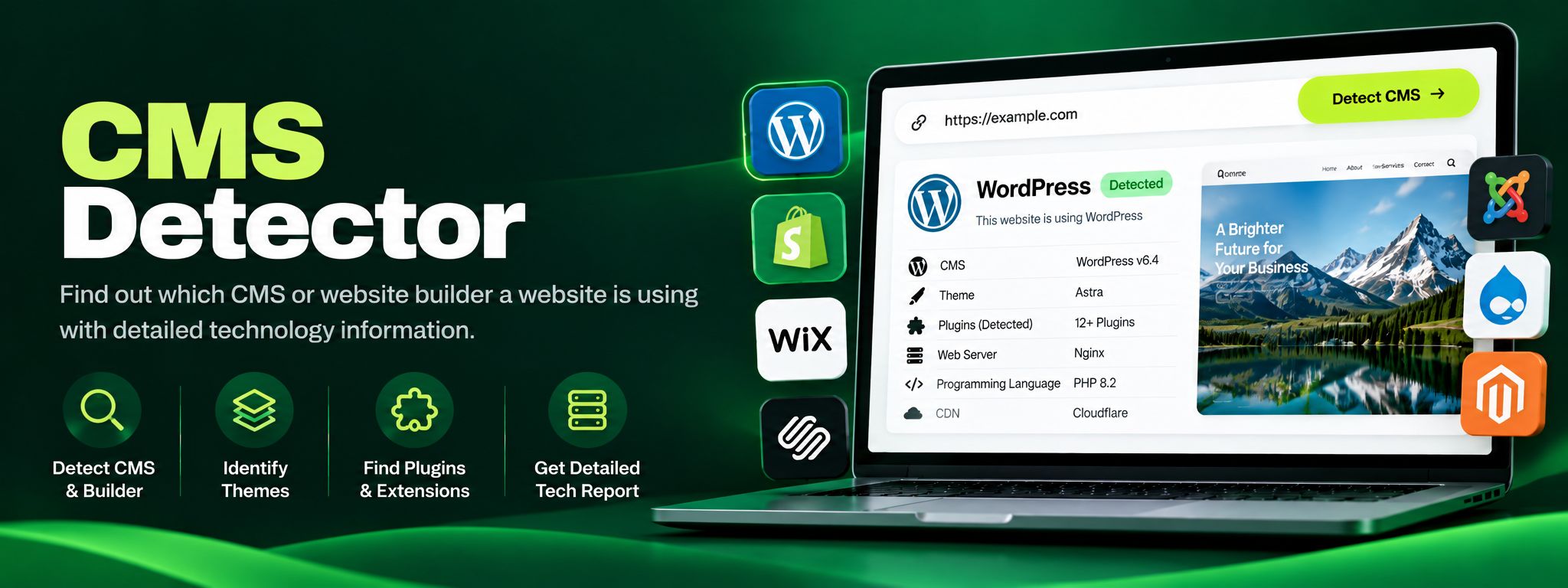
The ZaxisMedia CMS Detector does the detective work for you. Enter any URL and it analyzes code fingerprints, script signatures, meta tags, and header patterns to identify WordPress, Shopify, Wix, Squarespace, Joomla, Drupal, and many more platforms in seconds. This tool is a favorite among web designers researching the competition, agencies auditing prospective clients, developers scoping migration projects, and curious site owners who want to know what the best sites in their niche are built on.
Why this matters
Knowing what powers a website turns guesswork into a plan, whether you are picking tech for your own project or studying a competitor.
For personal projects
See what successful sites in your niche actually run on, then pick the right CMS for your own site with confidence.
For business and team use
Audit client and competitor sites in seconds, so your technology recommendations rest on evidence instead of assumptions.
Helpful details
Wide CMS coverage: Detects WordPress, Shopify, Wix, Squarespace, Joomla, Drupal, Magento, Ghost, Webflow, and dozens of other platforms.
Fingerprint based detection: Analyzes HTML patterns, script and stylesheet paths, meta generator tags, and HTTP headers for reliable identification.
Confidence indicators: Shows how certain the detection is, so you know when a result is definitive and when a site uses a custom or headless setup.
Version hints where available: Surfaces version clues when the site exposes them, useful for security and compatibility assessments.
Instant results: Get your answer in seconds without installing extensions or reading source code.
Competitor research ready: Quickly profile every site in your niche to see which platforms dominate your market.
No signup needed: Unlimited free checks on any public website, from any device.
Pairs with deeper analysis: Combine with the Technology Stack Detector for the full picture of themes, plugins, and frameworks.
Picture a digital agency pitching a redesign to a regional furniture retailer. Before the first meeting, the agency's strategist runs the retailer's site and its three main competitors through the CMS Detector. The results are revealing. The retailer's own site runs on an outdated, heavily customized CMS that explains its slow load times and painful content updates. Two competitors run on Shopify with modern themes, which explains their fast checkouts and polished mobile experience. The third runs on WordPress with WooCommerce.
Armed with this intelligence, the agency walks into the pitch with a data backed recommendation instead of a guess. They can show the retailer exactly what platforms the market leaders use, estimate realistic migration paths, and explain why the current platform is holding the business back. They also flag that the retailer's outdated CMS version has known security issues, adding urgency to the proposal. The agency wins the project, and the CMS Detector's thirty seconds of work shaped the entire winning argument.
Step-by-step guide
Open the tool.Open the CMS Detector tool page and find the URL input box.
Paste the URL.Paste the website address you want to investigate, including https://, for example https://example-store.com.
Click detect.Click detect to start the scan. The tool fetches the site and analyzes its code fingerprints.
Read the result.Read the detected CMS shown in the result card, along with the confidence level of the match.
Check the evidence.Check the evidence listed with the result, such as distinctive script paths or meta tags, so you understand why the tool reached its conclusion.
Note version info.Note any version information if the site exposes it, which helps with security research or migration planning.
Compare competitors.Run more URLs to compare platforms across competitors, then use the findings to inform your own technology decisions.