Hosting Provider Checker: Who Hosts Any Website
Free hosting provider checker. Reveal any website's hosting company accurately, server IP and reverse DNS from header and DNS fingerprints, in seconds.
Introduction
Every website lives on a server owned by a hosting company, and that choice affects far more than most people realize. Your host influences your site speed, your uptime, your security, and even your SEO. When a competitor's site loads in under a second while yours takes four, the difference is often the hosting provider, not the design. When a site you admire never seems to go down, that reliability usually comes from quality infrastructure. Knowing who hosts a website is the key to understanding the foundation it is built on.
But hosting information is not displayed anywhere on a website. It is hidden in DNS records, server IP addresses, HTTP response headers, and reverse DNS entries, technical details that require specialized knowledge to uncover.
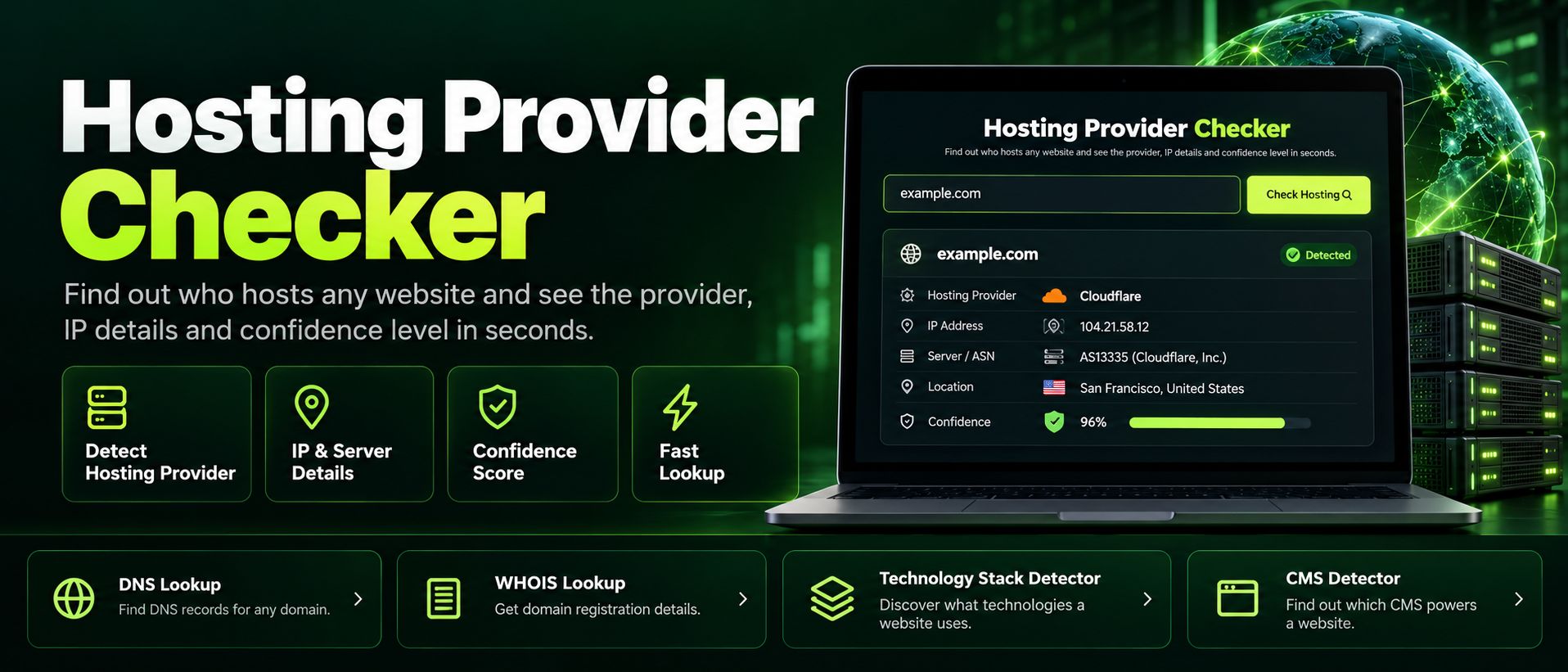
The ZaxisMedia Hosting Provider Checker removes that barrier. Enter any domain and it analyzes header and DNS fingerprints to identify the hosting company, reveal the server IP, and show reverse DNS information, all in seconds and with honest confidence levels. Site owners use it to verify their own hosting setup, developers use it to diagnose performance issues, marketers use it to research competitors, and anyone shopping for a new host uses it to see which providers the fastest sites in their industry trust.
Why this matters
Finding out who hosts any website helps you judge reliability, plan a migration, or choose a host with a proven track record.
For personal projects
Check where fast and reliable sites are hosted before you spend money on hosting for your own project.
For business and team use
Verify client infrastructure, investigate downtime, and benchmark competitors against real hosting data.
Helpful details
Hosting company identification: Names the provider behind any website, from giants like AWS and Cloudflare to boutique managed hosts.
Server IP reveal: Shows the IP address serving the site, useful for diagnostics and infrastructure research.
Reverse DNS lookup: Displays the reverse DNS record of the server IP, which often confirms the hosting provider independently.
Honest confidence levels: Every result includes a confidence rating, so you know when the evidence is conclusive and when it is an educated inference.
Header and DNS fingerprinting: Combines multiple technical signals for more reliable identification than any single method.
CDN detection awareness: Distinguishes between the CDN serving the site and the origin host behind it where the signals allow.
Free and unlimited: Check any number of domains with no account and no usage caps.
Instant results: Get the full hosting profile in seconds, on any device.
Imagine you run a growing blog that has started earning real traffic, but your pages feel sluggish and your shared hosting plan keeps hitting resource limits during traffic spikes. You are considering an upgrade, but every hosting company claims to be the fastest, and review sites all seem to promote whoever pays the highest commission. You need real evidence, not marketing. You take the five fastest blogs in your niche, the ones that always feel instant when you visit them, and run each domain through the Hosting Provider Checker. Four out of five turn out to be hosted on the same managed WordPress host you had never seriously considered. The fifth uses a different provider but sits behind the same CDN. You also check your own site and confirm you are still on the budget shared plan you started with three years ago.
Now your decision is easy. You sign up with the host that the proven fastest sites in your market actually use, migrate over a weekend, and your load times drop from four seconds to under one. Your bounce rate improves, your search rankings climb over the following months, and the entire decision was guided by ten minutes of free research instead of biased reviews.
Step-by-step guide
Open the tool.Open the Hosting Provider Checker tool page and locate the domain input field.
Enter the domain.Type or paste the domain you want to investigate, for example example.com. No https:// prefix is needed.
Start the check.Start the check with a single click. The tool queries DNS records and fetches server headers for the domain.
Read the provider.Read the hosting provider name in the result card, along with the confidence level of the identification.
Review IP and reverse DNS.Review the server IP and reverse DNS details shown alongside, which provide independent confirmation of the host.
Compare multiple sites.Compare multiple sites by running their domains one after another, building a picture of which hosts dominate your niche.
Use the findings.Use the findings to inform your own hosting decisions, verify a migration, or investigate a slow website.